Telegram Connect Bot
Chat with the :appname
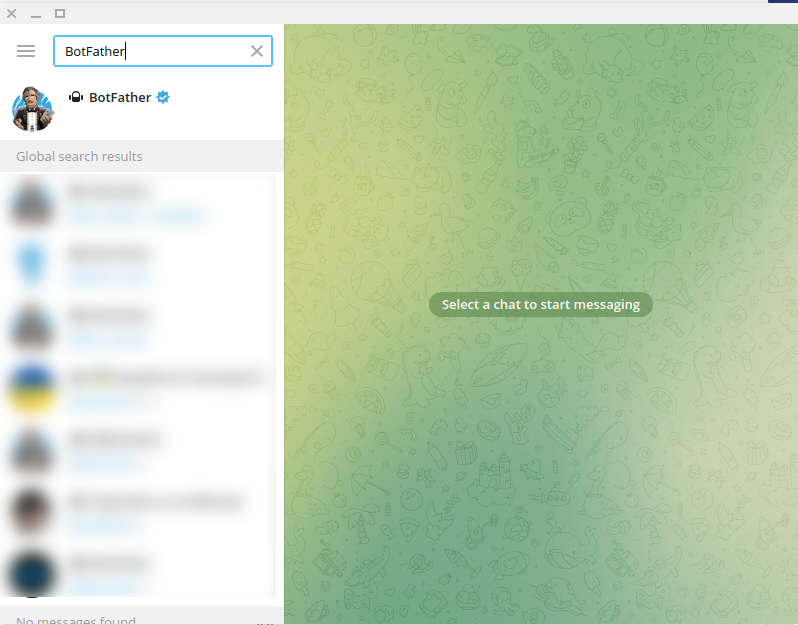
To build a WhatsApp bot with Benzibot, first, open your WhatsApp App. Then in the search bar of the app, search with the ‘Benzibot’ keyword. Then select the verified Benzibot account.
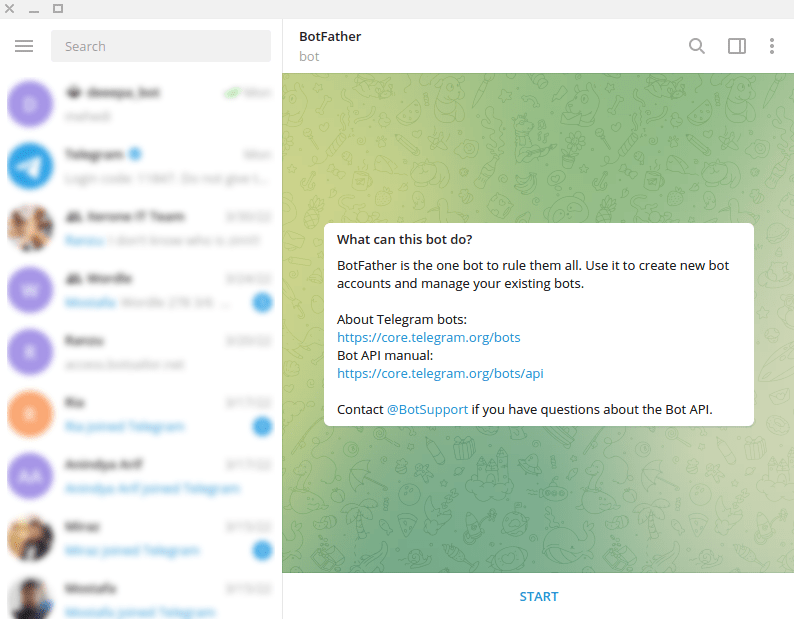
Instantly a message with two links and a get started button called START will appear. Now you have to click on the Get Started Button called Start.
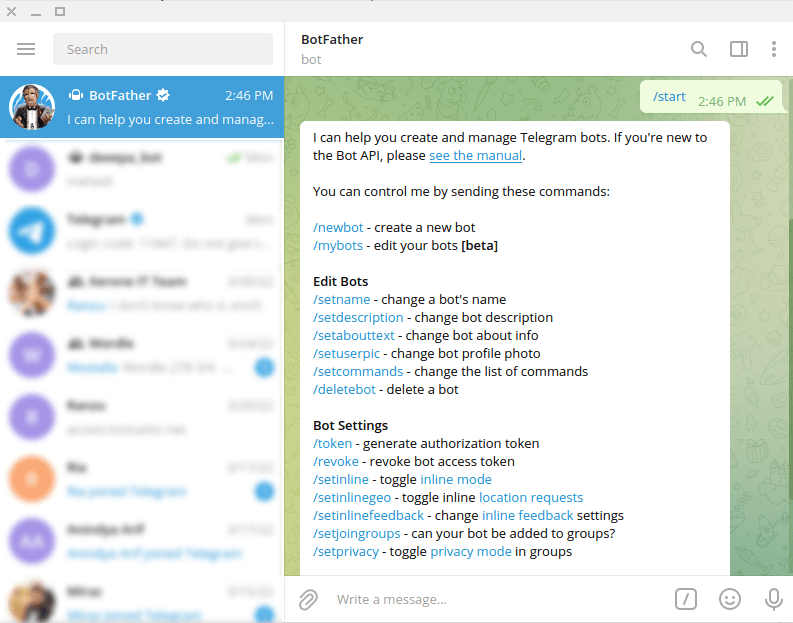
And without delay, it will send another message with a lot of options. Now click on the /newbot option to create a new bot.
Create a name and username
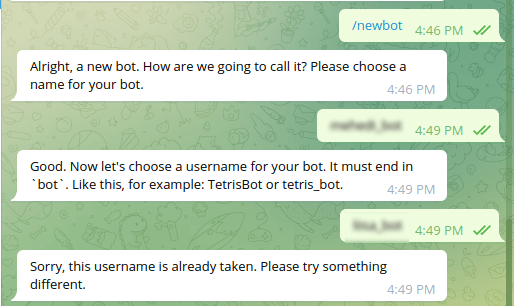
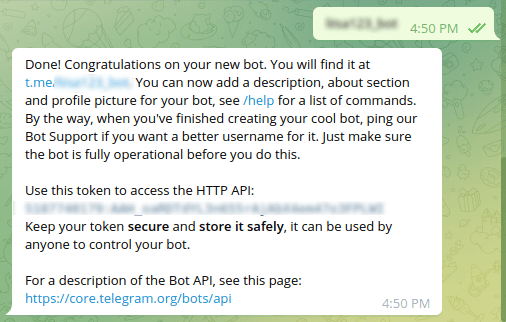
Then the :appname will ask you to choose a name for the bot. And you have to choose a name for the bot. After that, the :appname will ask for a user name that ends with the word ‘bot’. Now you have to provide a user name. Then the :appname will check if the user name is already taken. If the user name you provide is already taken, the :appname will ask for another user name.
And if the user name is not taken, :appname will congratulate you and send you the token to access the HTTP API. To build the bot you need the token. And the token can be used by anyone to control your bot. Therefore, your should keep your token secure and store it safely. Now copy the access token.
Connect bot with Benzibot
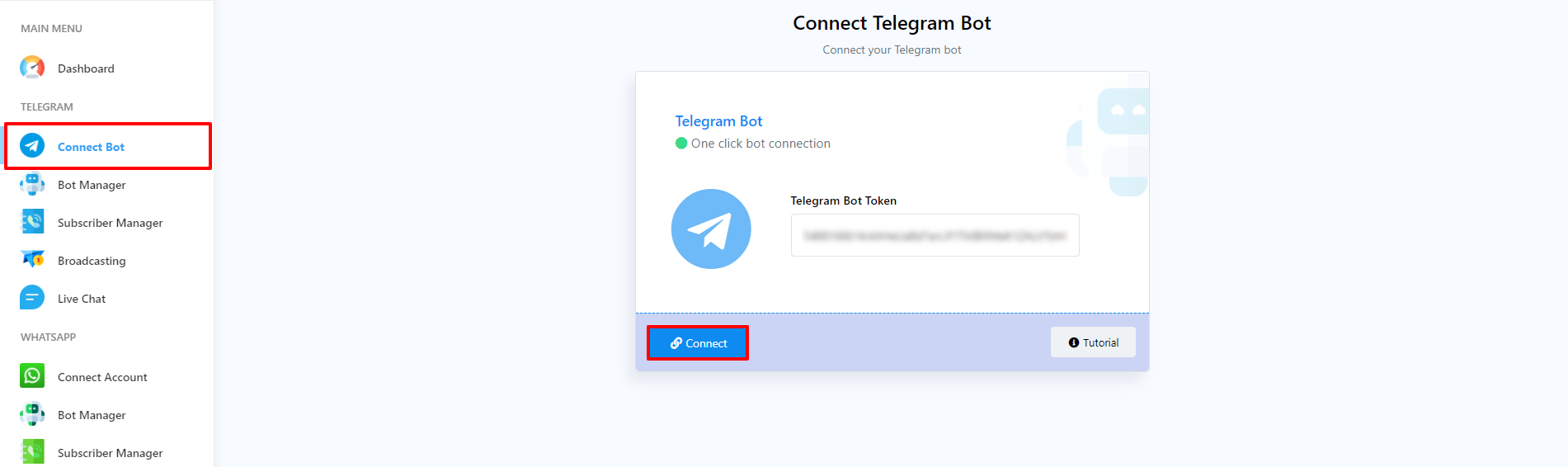
Go to Connect Bot menu. Now you have to enter the bot token you recieved from :appname into the field called WhatsApp bot token. After entering the WhatsApp bot token, click on the Connect bot button.
Instantly, a successful message that the bot has been connected will appear. Also, a box will appear with the name and username of your bot. You can deactivate the bot by turning off the radio button called active. And you can activate the bot by turning on the active button. Of course, you can disconnect the bot by clicking on the Disconnect button. Also, you can sync the bot information by clicking on the sync button.
Watch the video tutorial to know more